In short
- Yes. You can create invoices from your phone anywhere with a signal.
- A mobile invoice is exactly as valid as one made on a laptop, provided it carries the required fields.
- Invoicing on the day the job finishes is the single cheapest way to get paid sooner.
- Send a PDF, not a photo or a screenshot.
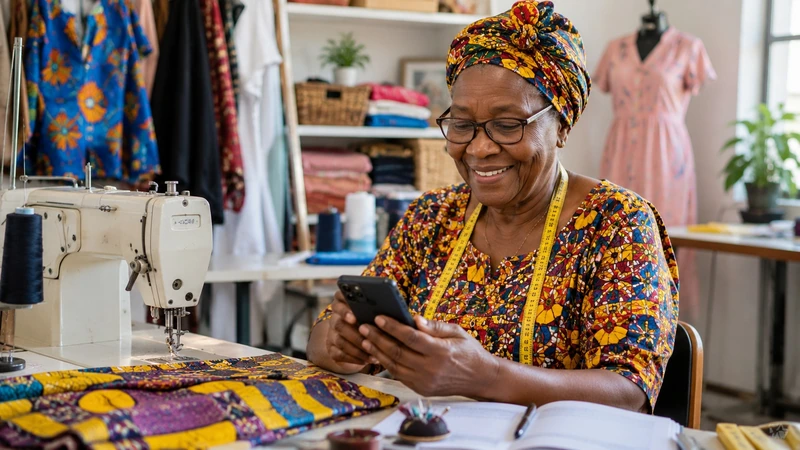
Yes. You can create invoices from your phone in South Africa, and for a lot of trades and service businesses it is the only realistic way to invoice on the day the work is finished.
The document is not less valid because it came from a phone. A tax invoice is valid because of what it contains, never because of the device that produced it.
Why invoicing from your phone gets you paid sooner
An invoice issued the day the job completes gets paid a full billing cycle earlier than one issued at month end. If a client pays on a monthly run, missing their cut-off by a single day can cost you four weeks.
Most small businesses invoice at month end for one reason: that is when they are next at a desk. Removing that constraint is worth more to your cash flow than any follow-up sequence.
What a mobile invoice still has to contain
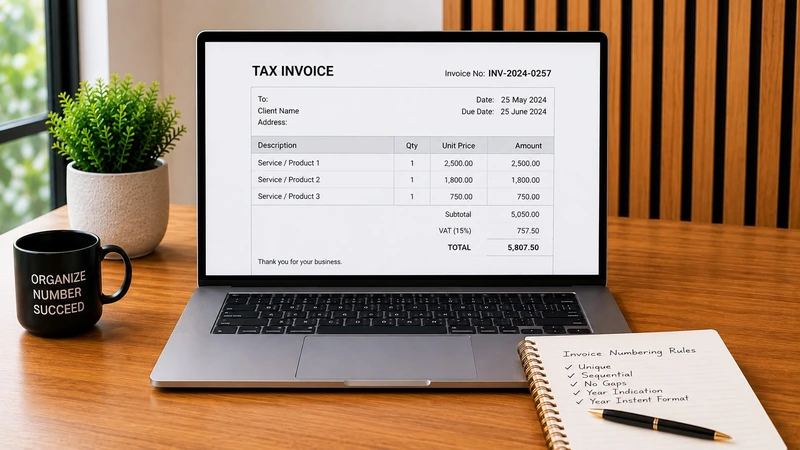
Everything a desktop one does. If you are a registered VAT vendor, section 20 of the VAT Act applies whatever you typed it on:
- The words Tax Invoice
- Your business name, address and VAT number
- The client's name and address, for anything over R5,000 including VAT
- A unique sequential number and the date
- A clear description of what was supplied
- The amount, the VAT and the total
- Your banking details and a payment reference
The last one is not a legal requirement and it is the one that decides whether the money actually arrives with a reference you can match.
How to create invoices from your phone properly
- Use a browser-based tool, so the same account works on the phone and the laptop and the numbering stays in one sequence.
- Select the client from your saved list rather than retyping the name. Wrong entity names stall invoices at corporate clients.
- Pull line items from a saved price list, so a phone invoice reads the same as a desktop one.
- Check the total against the accepted quotation before sending.
- Generate a PDF and send that.
Send a PDF, never a photo
This is where mobile invoicing goes wrong. A photograph of a screen, or a compressed image sent through a chat app, is unreadable by the time it reaches an accounts department. It also cannot be filed, forwarded or matched to a purchase order.
| Do | Do not |
|---|---|
| Attach a PDF | Send a screenshot |
| Send as a document on WhatsApp | Send as an image, which compresses |
| Write the invoice number and amount in the message | Send a bare attachment |
| Email corporate clients as well | Assume a chat message reaches finance |
Signal, data and the practical bits
- Data use is small. Creating and sending an invoice is a few hundred kilobytes.
- Work offline, send later. Draft it on site and send when you have signal.
- Keep the record off the phone. A lost handset should not take your invoicing history with it.
- Check the PDF once on a bigger screen the first time you use any tool.
Common questions
Can I create invoices from my phone and still charge VAT?
Yes, if you are a registered vendor. The device is irrelevant; the document must carry the fields the VAT Act requires.
Is a phone invoice legally valid in South Africa?
Yes. Validity depends on the contents of the document, not on how it was produced or delivered.
Do I need to install an app?
Not necessarily. A browser-based tool works on any phone and keeps one numbering sequence across all your devices.
What if I have no signal on site?
Draft the invoice and send it once you have signal. The important thing is issuing it the same day, not the same minute.
Quote to Invoice runs in your phone browser, so you can invoice from site the day the job is done. Free to use.
Create your invoice- Value-Added Tax Act 89 of 1991, section 20
Disclaimer: This content is for general information only and does not constitute legal, tax, accounting or financial advice. Always confirm important requirements with SARS, the relevant authority or a qualified professional.